Damien's Resources

  • Home
  • Classes
    • General information
    • Frequently asked questions
    • The classes  >>
      • The Bridge Class
      • The Raw Class
      • The Layers & Masks Class
      • The Levels Class
      • The Advanced Levels Class
      • The Skin Class
      • The Print Sharpening Class
      • The Channel Mixer Classes
      • The CMYK Class
    • Find your class
  • Resources
    • Browse and search
    • Calibration instructions
    • What to buy  >>
      • Monitors
      • Monitor calibrators
      • Editing software
      • Graphics tablets
    • Print lab reviews
    • Ask a question  >>
      • On Facebook
      • On the website
  • Galleries
    • Damien's portfolio  >>
      • Complex edits
      • Old photo restoration
      • Clean processing
      • Get a quote
    • Student gallery
  • Testimonials
    • What people are saying
    • Submit a testimonial
  • Contact
    • Get a quote
    • Ask an editing question  >>
      • On Facebook
      • On the website
    • Ask a general question
    • About Damien
  • Search

Calibrite ColorChecker Display Pro/Plus calibration tutorial
for desktop screens
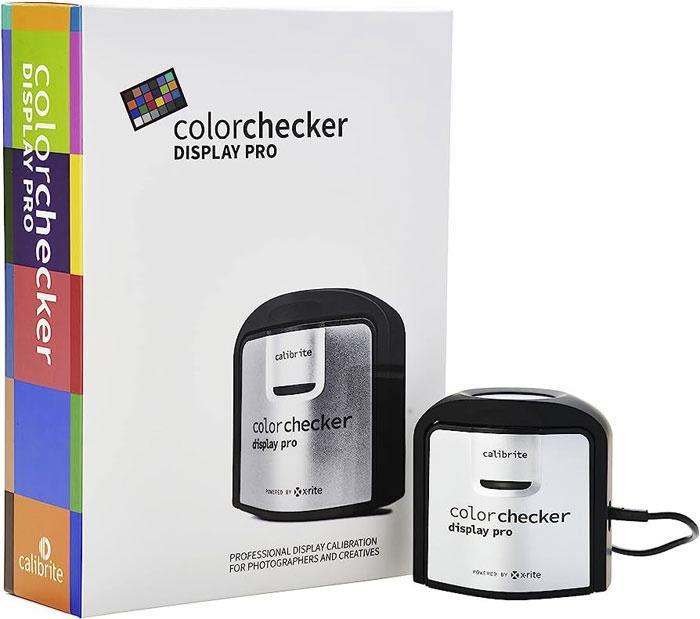
Calibrite ColorChecker Display Pro

This tutorial discusses using the Calibrite ColorChecker Display Pro and the Calibrite ColorChecker Display Plus to calibrate most desktop screens – that is, screens which have buttons and menus to control contrast, brightness and colour.

Before you begin, please make sure you’ve read this article.

Read it? Great, let's go!

Click here to begin calibration following my step-by-step instructions >>

Resource categories:

  • Actions
  • Calibration instructions
  • Colour management
  • Digital files
  • Editing
  • Editing - backgrounds
  • Editing - fixes
  • Editing - people
  • Layer masks
  • Lightroom
  • Miscellaneous
  • Monitor calibration info
  • Photoshop tools
  • Printing
  • Restoration
  • Sharpening
  • Technical help
  • Techniques
  • Templates
  • Troubleshooting
  • Videos
  • What to buy
  • Workflow
  • © Damien Symonds    Facebook   YouTube
  • Privacy Policy
  • Site design: HTML5 UP